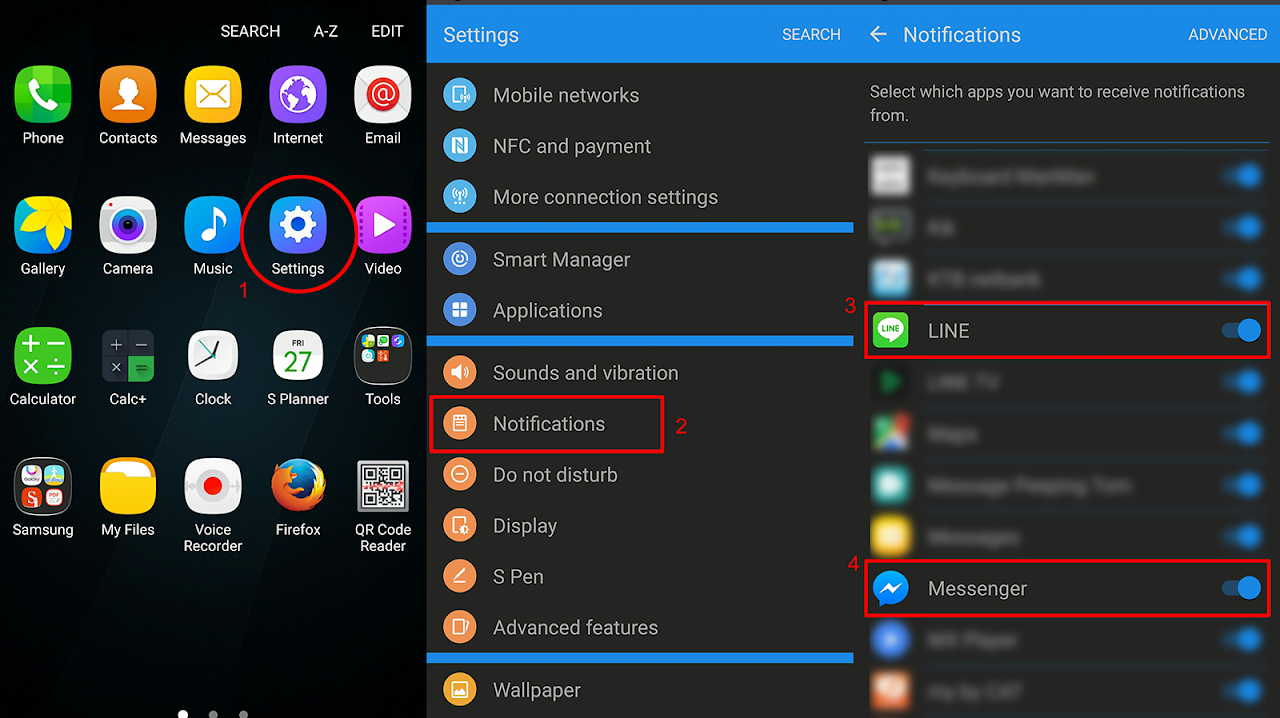
1. Android System Settings
Android Settings > Notifications > เลือกเปิดแอปแชทที่ต้องการให้เป็น (ON)
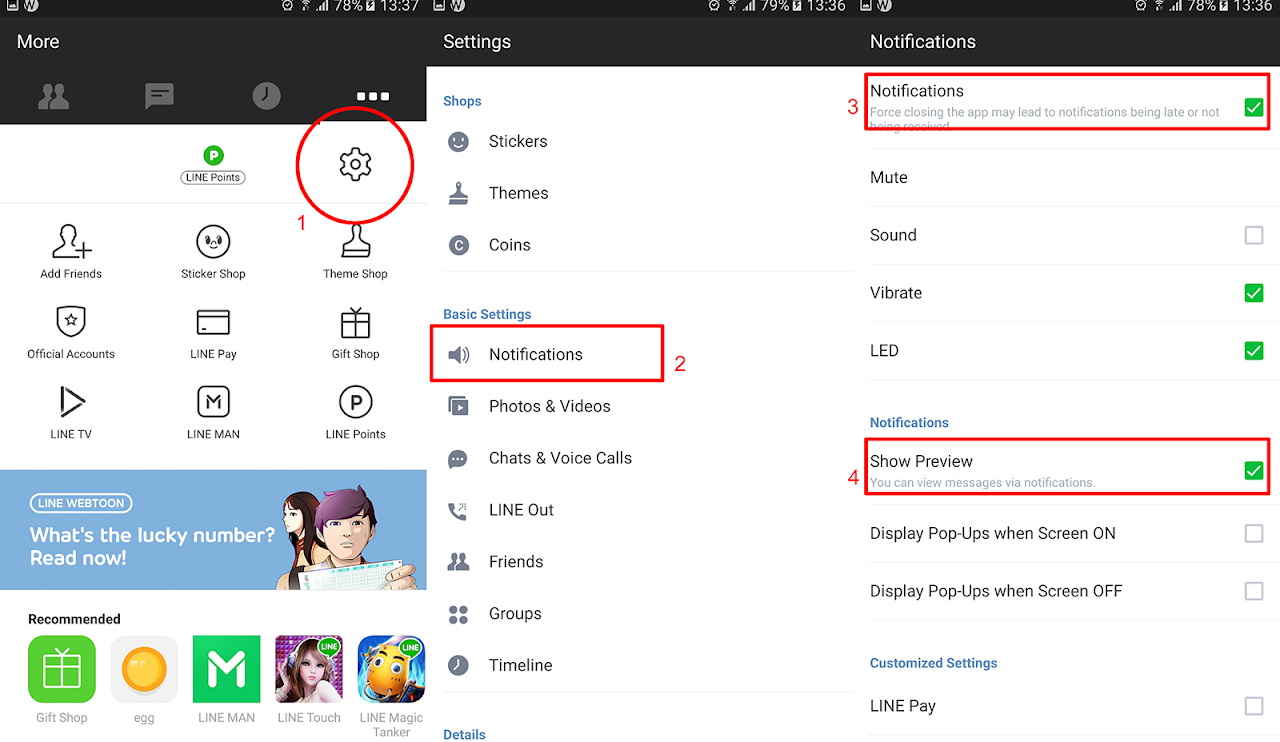
2. LINE Settings
Settings > Notifications > เปิด Notifications (ON) และเปิด Show Preview (ON)
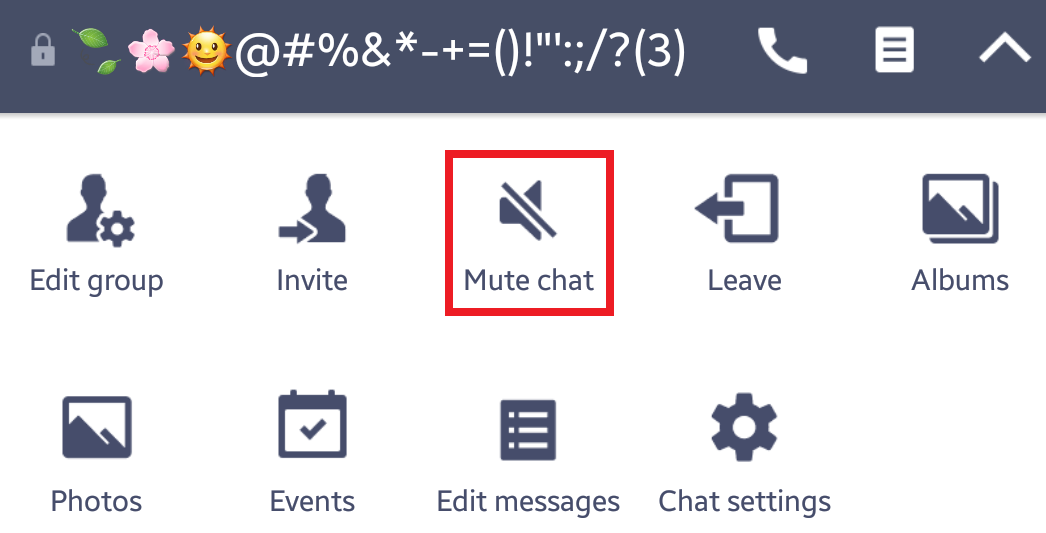
ตรวจสอบว่าในแต่ละห้องแชทไม่ได้ปิดแจ้งเตือน (ต้องไม่ขึ้น Mute Chat)
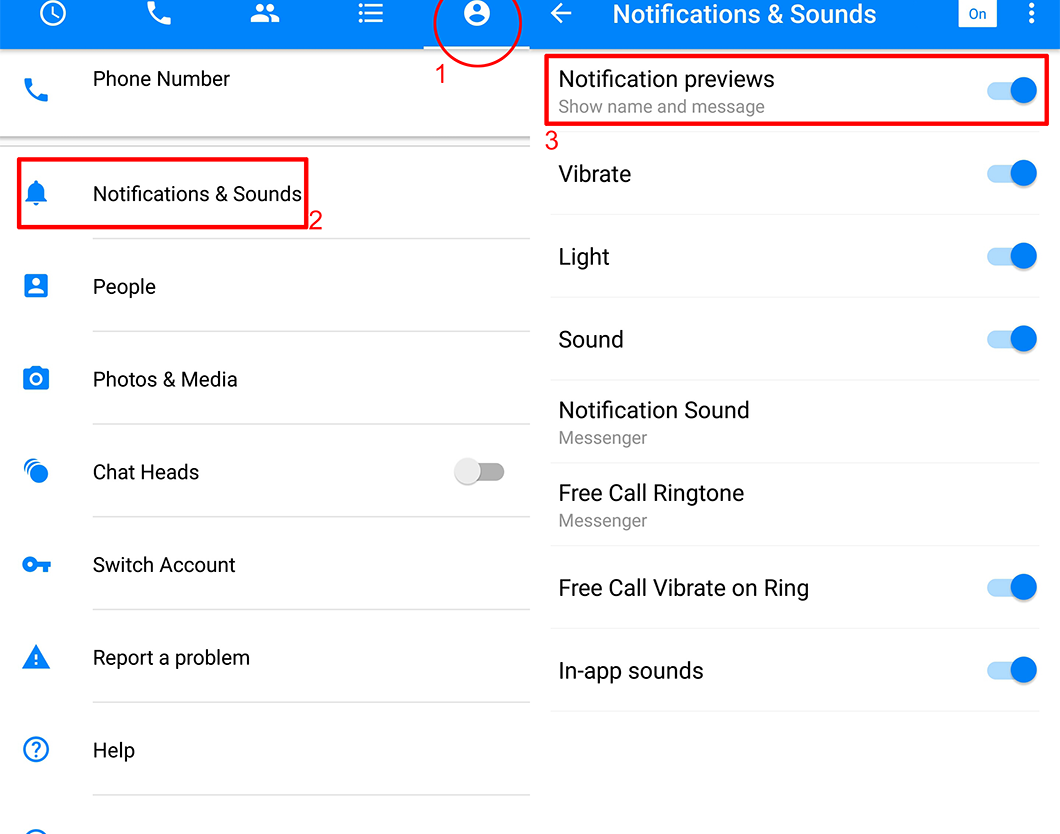
3. Facebook Messenger
Profile > Notifications & Sounds > เปิด Notification previews (ON)
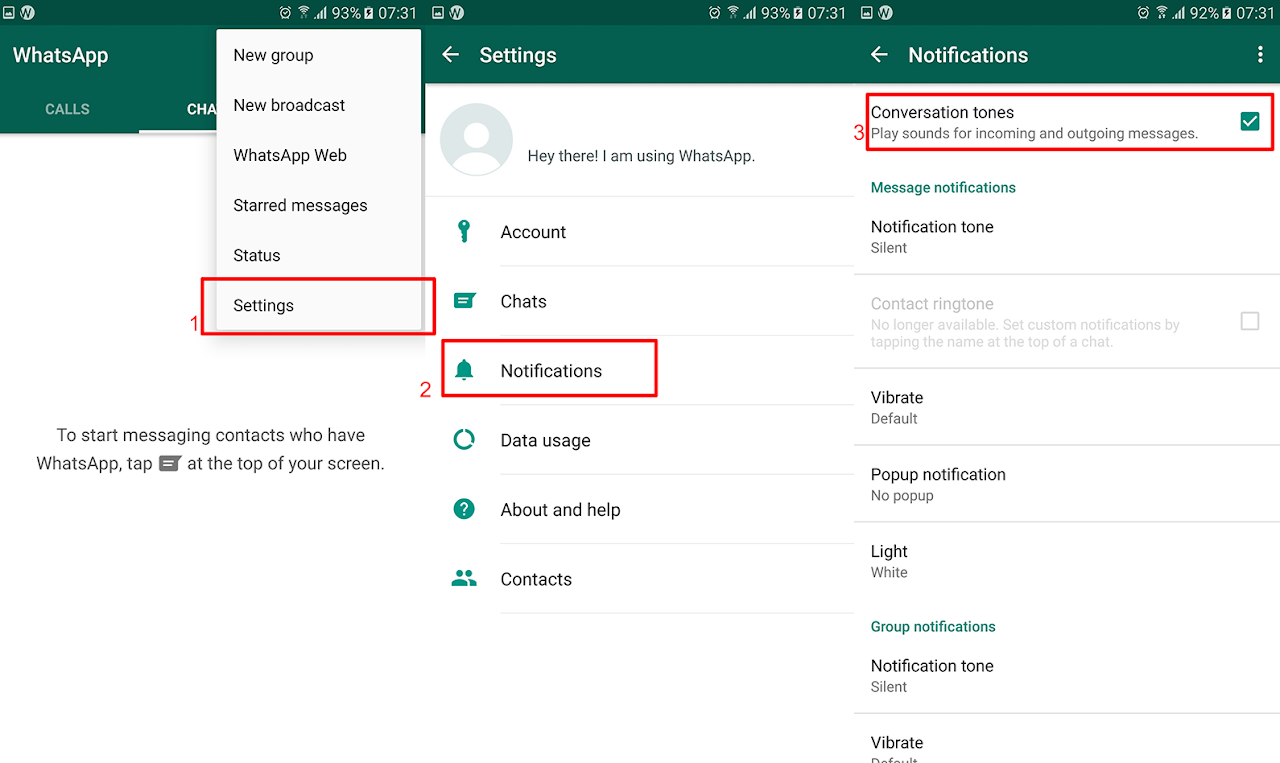
4. WhatsApp
Settings > Notifications > เปิด Conversation tones (ON)
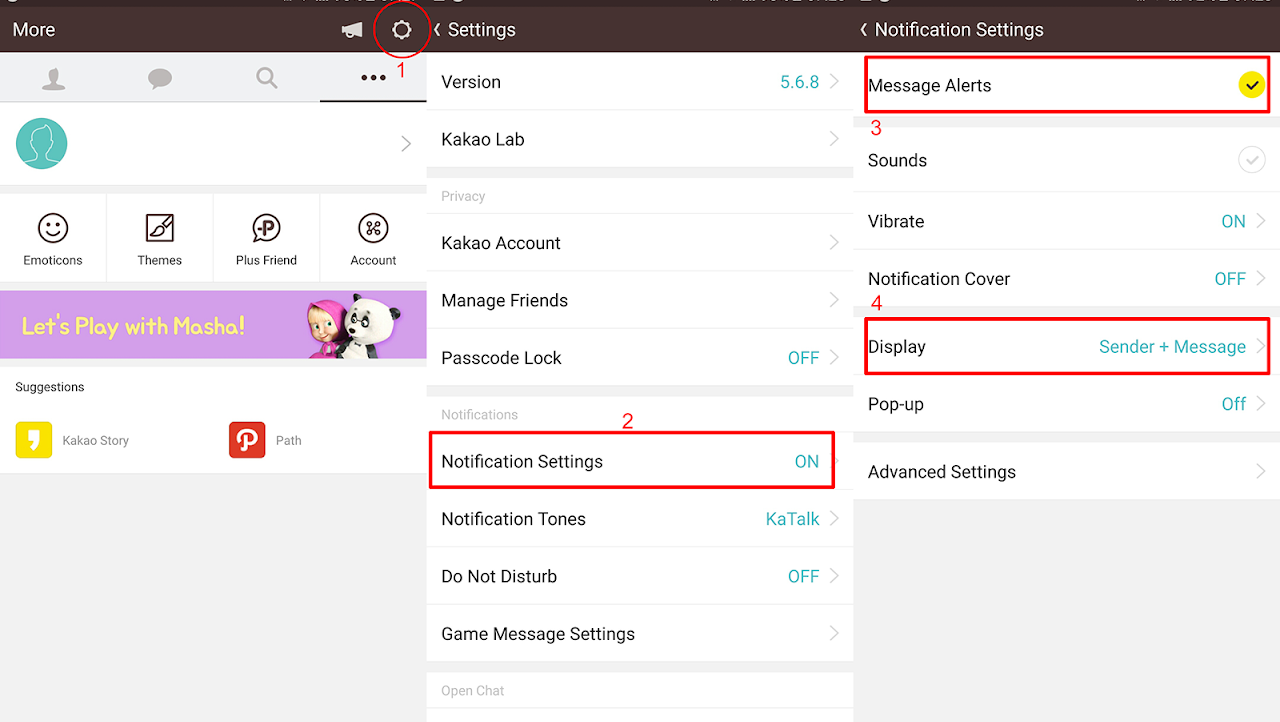
5. KakaoTalk
Settings > Notification Settings > เปิด Message Alerts (ON), Display เลือกระบุ (Sender + Message)
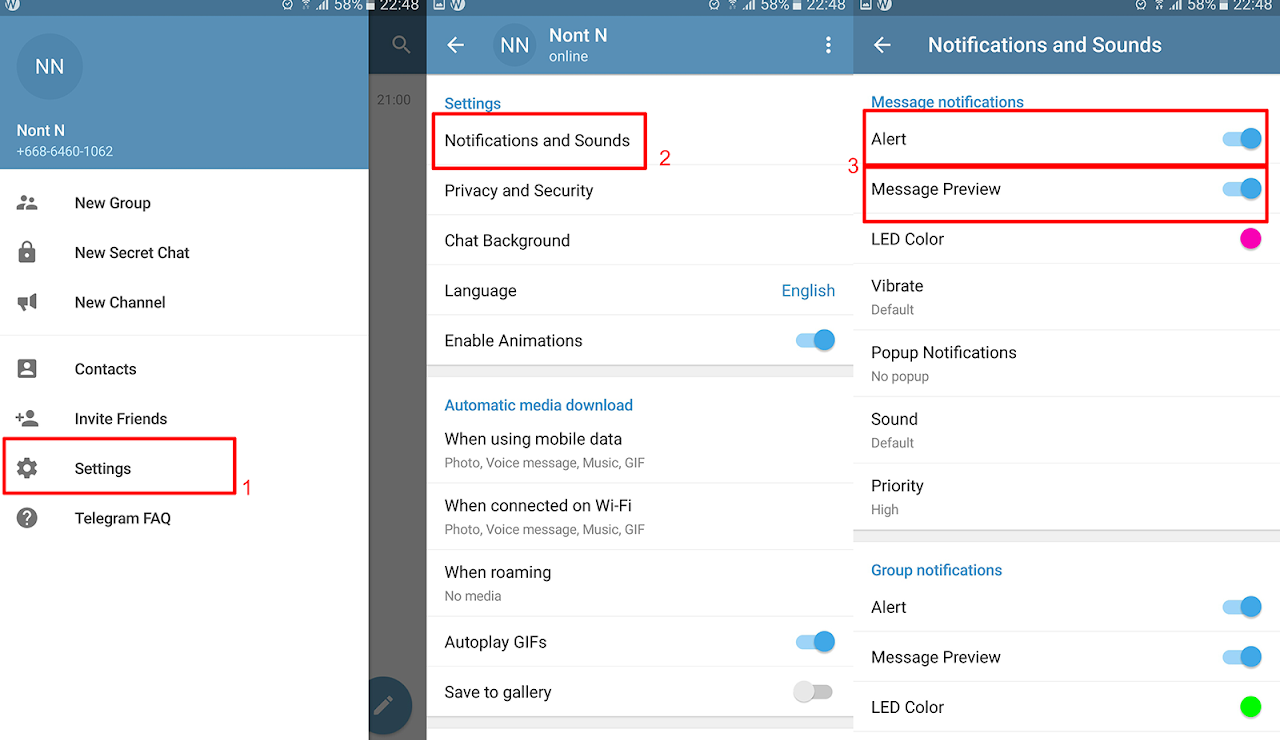
6. Telegram
Settings > Notifications and Sounds > เปิด Alert (ON) และเปิด Message Preview (ON)